468x60 Ads

Buanglah sampah pada tempatnya. Pabila sampah tiada, kena ceria main warnet. Hary Irfantri, 2012
Demo image Demo image Demo image Demo image Demo image >
Showing posts with label Software. Show all posts

Game Booster 3.4

0 comments


Designed for higher FPS and less lags!
Game Booster 3 is capable of delivering the best gaming experience to you even if you have an old PC. One-click to boost PC performance is not enough, Game Booster 3 also allows you to tweak your system for top PC performance. By temporarily shutting background processes and unnecessary Windows services, cleaning RAM, and intensifying processor performance, Game Booster 3 concentrates every little system resource for gaming only.
Game Booster 3 is compatible with PunkBuster, Cheating-Death, VAC, and any other anti-cheat software.
***

Key Benefits in Game Booster 3.4.0

1-Click Boosting Game Performance Enhanced
Game Booster v3 can easily and fast-close background processes and unnecessary Windows services, to speed up your game playing and avoid possible conflicts and incompatibility. With the innovative "Enhanced 3rd parties' services detection" technology, Game Booster v3 can automatically detect and close more unnecessary background services.
Pure Gaming Environment with "Game Desktop" New!
Game Booster 3 now is able to provide you a pure "gaming environment" that leaves only the gaming window on the desktop; thus you will not be disturbed by other programs during your gaming.
Tweaks System for Top PC Performance Enhanced
Game Booster v3 can tweak your PC for the ultimate system and Internet speed with a single click.
Create Your Own Game Box Enhanced
Add and manage your games in a game box and boost the game automatically with Game Booster 3 when launching.
Diagnose Your System Weakness New!
Game Booster can analyze and generate a report which shows the system weaknesses that affect your gaming experience. You can export the report and send it to our forum so that our experts will provide you the best solutions for your top gaming performance.
Lower Process Priority to Enhance PC Performance New!
By lowering priority of other processes, Game Booster 3 allows more system resources to be used for gaming.
Installs Latest Drivers Enhanced
Add and manage your games in a small box and boost the game automatically with Game Booster v3 when launching.
Defragments Game Files Enhanced
With the improved defragment engine, Game Booster v3 can quickly defragment game directories and files, to make your games load and run faster than ever.
Intellectual Boost module Enhanced
The configurations in Game Booster 3 have been optimized and now it's more intellective. You can check the processes you think unnecessary for games and submit them, then it will give you a user recommended configuration based on the votes.
Detect Games on Steam Enhanced
Game Booster 3 is now able to detect the games on Steam. And you can simply right click the game icon to start it via Game Booster 3.
Intuitive and Vibrant Interface New!
Game Booster 3 takes on a vibrant look that greatly appeals to most gamers. The interface is also intuitive for complete computer beginners.

System Requirements

Operating Systems Supported

  • Microsoft® Windows® 8
  • Microsoft® Windows® 7 (32-bit and 64-bit) Starter/ Home Basic/Home Premium/Professional/Ultimate
  • Microsoft® Windows® Vista (32-bit and 64-bit) Starter/Home Basic/Home Premium/Business /Ultimate
  • Microsoft® Windows® XP (32-bit and 64-bit) with SP2/SP3 or Home/Professional/Media Center
  • Microsoft® Windows® 2000

Hardware Requirements

  • 300 MHz processor or faster processor
  • 256 MB of RAM
  • 30 MB of free hard disk space

Language Support

  • Arabic, BrazilianPortuguese, Czech, Danish, Dutch, English, Finnish, French, German, Italian, Japanese, Korean, Norwegian, Persian, Polish, Russian, Slovenian, Spanish, Swedish, Turkish, ChineseSimp, ChineseTrad,Serbian(cyrillic), Serbian(latin),Greek, Hungarian.


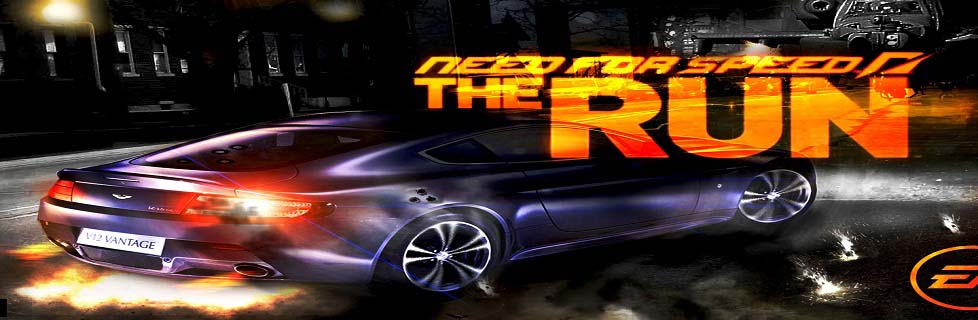
Need for Speed: The Run

0 comments

The Race of Your Life


It’s called The Run. An illicit, high-stakes race across the country. The only way to get your life back is to be the first from San Francisco to New York.
"These are FREE Download"
No speed limits. No rules. No allies. All you have are your driving skills and sheer determination as you battle hundreds of the world’s most notorious drivers on the country’s most dangerous roads.
In Need for Speed The Run, you’ll weave through dense urban centers, rocket down icy mountain passes and navigate narrow canyons at breakneck speeds, all the while evading a relentless police force prepared – and willing – to use lethal force to take you down.
***
Minimum System Requirements
* OS: Windows Vista SP2 or Windows 7
* CPU: 2.4 GHz Intel Core 2 Duo or equal AMD
* RAM: 3 GB
* HDD: 18 GB free disk space
* Graphics: 512 MB Graphics Memory
* DirectX: Version 10
* Network: 512 KBPS Internet connection or better
Recommended System Requirements
* OS: Windows Vista SP2 or Windows 7
* CPU: 3.0 GHz Intel Core 2 Quad or similar
* RAM: 4 GB
* HDD: 18 GB free disk space
* Graphics: 1 GB Graphics Memory
* DirectX: Version 10/11
* Network: 512 KBPS Internet connection or better
Supported Graphics Cards:
Minimum – NVIDIA GeForce 9800 GT or ATI Radeon 4870
Recommended – NVIDIA GeForce GTX560 or ATI Radeon 6950
***

Overview


  • From the Golden Gate to the Empire State — Compete in The Run, an illicit race across the most iconic and treacherous roads from San Francisco to New York. There are no rules and no allies in the cities, deserts, mountains and canyons than stand between you and the finish line.
  • You are Jack’s Competitive Edge — Jack is in a race for his life, but he’s got something the competition doesn’t: You. Keep Jack one step ahead of the dangers from his dark past, both inside and outside the car. It’s up to you to get Jack to New York in one piece and ahead of the competition.
  • Beat Your Friends — Connect to Autolog. Compare your times against those that matter most. Compete to be the best. Autolog now tracks your entire career – making every second of every race count in the battle to be the fastest to New York.
  • Racing Powered by Frostbite 2 — The powerful new Frostbite 2 engine, created by the award-winning DICE studio, advances technical achievements to deliver a gameplay experience with an unprecedented level of visual detail, environmental immersion, and emotional impact.
  • Compete in High Octane Multi-Player Racing — The most accessible online racing experience ever offered. With matchmaking technology, join races already in progress instead of waiting in lobbies. Create a party with friends, pick a playlist of your favorite challenges and compete for supremacy across every stage of The Run. By mastering all of the playlists you can level up and earn access to exclusive vehicles, upgrades and abilities. 
  • Platforms: Xbox 360, PC, PC Download, PlayStation 3
    Teen
    This title is rated Teen for:
    • Language
    • Mild Suggestive Themes
    • Violence
    • Online Interactions Not Rated by the ESRB
    • May contain content inappropriate for children. Visit www.esrb.org for rating information
  • Platforms: Nintendo 3DS, Nintendo Wii
    Everyone 10+
    This title is rated Everyone 10+for:
    • Animated Blood
    • Mild Suggestive Themes
    • Violence


Media Portal Beta 1.2.0

0 comments


The release of 1.2.0 beta is a big milestone in the MP 1.2.0 development cycle. During its development we had to make a few tough decisions, which ultimately resulted in a lot of work and delays, yet also brought MP1 to a completely new level of usability.

Notable Changes since 1.2.0 alpha

It would be too much to list all changes between 1.1.0 and 1.2.0. So the following list will focus on what happened since the release of 1.2.0 Alpha.
Find out about the changes introduced in 1.2.0 Alpha in this separate news.

Usability Changes

Plugin Version Check

The biggest change in usability is our new version check for plugins. From 1.2.0 beta on, users will never again face the problem of having a plugin enabled which is incompatible with the installed version of MP.
Attention!
  • Because of this change, none of your currently installed plugins will work with 1.2.0 beta. They will all get disabled and appear in a new section in the Configuration Tool: Incompatible Plugins. Please refer to the developers of the plugins you use for compatible versions.
  • The MediaPortal Extenstion Installer (MPEI) will be updated in beta2/RC1 of 1.2.0 to automatically incorporate the version information into the .mpe2 file.  So plugin developers just have to re-save their MPEI package (if the plugin is already compatible).

Music and Video View Definition Changes

Setting up and changing views for music and video was previously complicated and confusing.   We have now updated the interface to make setup far more logical and allow views to be easily re-ordered.
Attention!
  • Because of this change any user defined views you had setup will be lost when upgrading.  Hopefully we have mitigated this by replacing the default music views more in-line with those in Kiwijunglist's guide to setting up music.  To learn how to use the new features, see our Wiki: Music Views 1.2.

Music Changes

The music section of MediaPortal has been given a thorough health check with lots of changes behind the scenes as well as lots of bug fixes and changes to make things more logical and consistent.  There are also some new features
  • Better handling of multi-disc albums
  • A playlist mode
  • Last.fm Love / Ban functions on music Now Playing screen
More details can be found in an earlier blog. To learn about the changes see Play Music 1.2 in our Wiki.

TV - Fast Forward

Fast Forward inside TV should now work smoothly with up to 4x playback speed, which is the maximum for Windows 7 (Note: Windows XP supports only 2x, due to it's audio renderer ). Fast Reverse will still work in a skip-step like fashion.

TV - improved LiveTv in multiseat setups

1.2.0 beta vastly lowers the workload placed on the hard drive by live TV. This virtually eliminates the stuttering and picture corruption that was sometimes seen before on client systems while watching live TV.

TV - increased performance of channel selector

Opening and browsing through the channel selector inside TV was very slow for some users. So we increased its performance!

DVD Playback - added Closed Captioning support

Closed_captioningWe have added supported for Closed Captioning (CC) to the DVD playback.
You can learn about it's configuration and usage in our Wiki.

SMS-Style input

You now have the option to use SMS style input with your remote control, just like you know from your cell-phone.
If you want to use the standard keyboard, then you can switch the input style back to it by pressing the related button inside the virtual keyboard.

Play all videos inside a folder

This is a feature many users requested for a long time. In this release we introduce the option to play all videos inside a folder with one option.

MediaPortal Configuration restructured

We have reworked the sturcture of MediaPortal Configuration in order to group the options more logically.

New Features

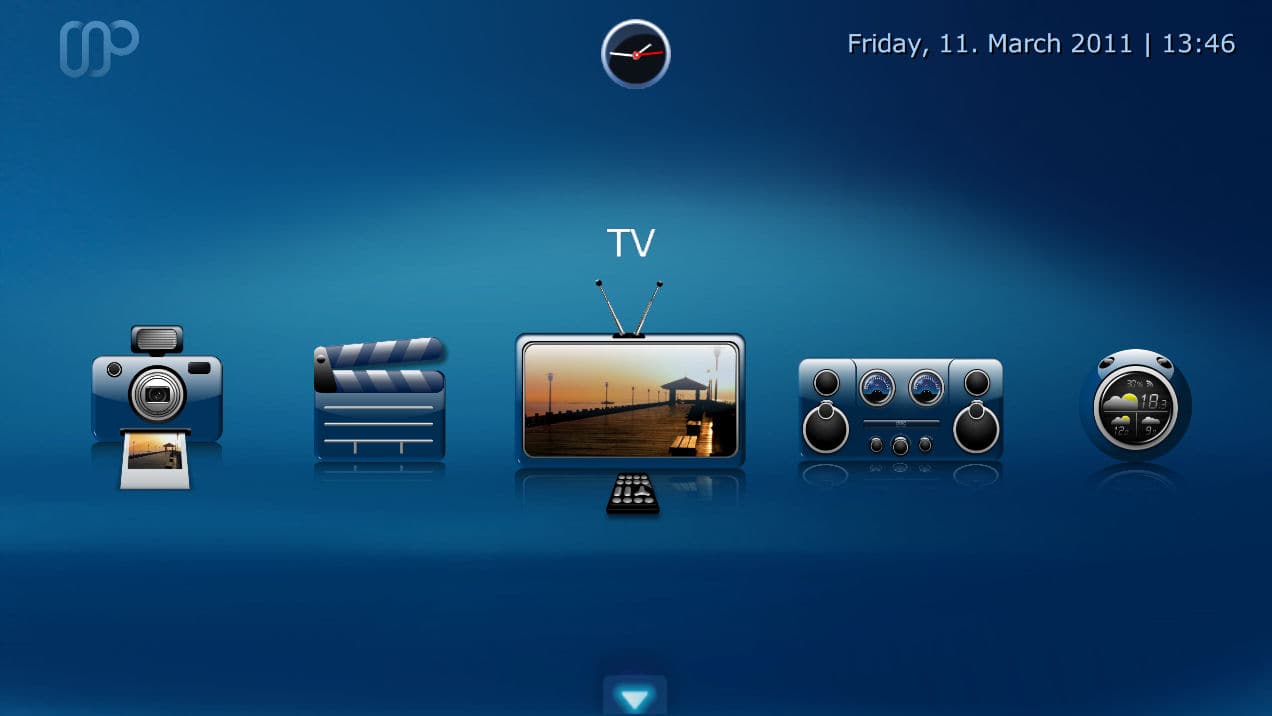
New Design

With MediaPortal 1.2.0 beta we introduce a brand new look, that replaces Blue3 and Blue3wide which served us well during the last years. We have made the Blue3/wide skin files available to the community, in case someone wishes to make it available, and maintain it, as an extension. The Team certainly hopes that this will happen.
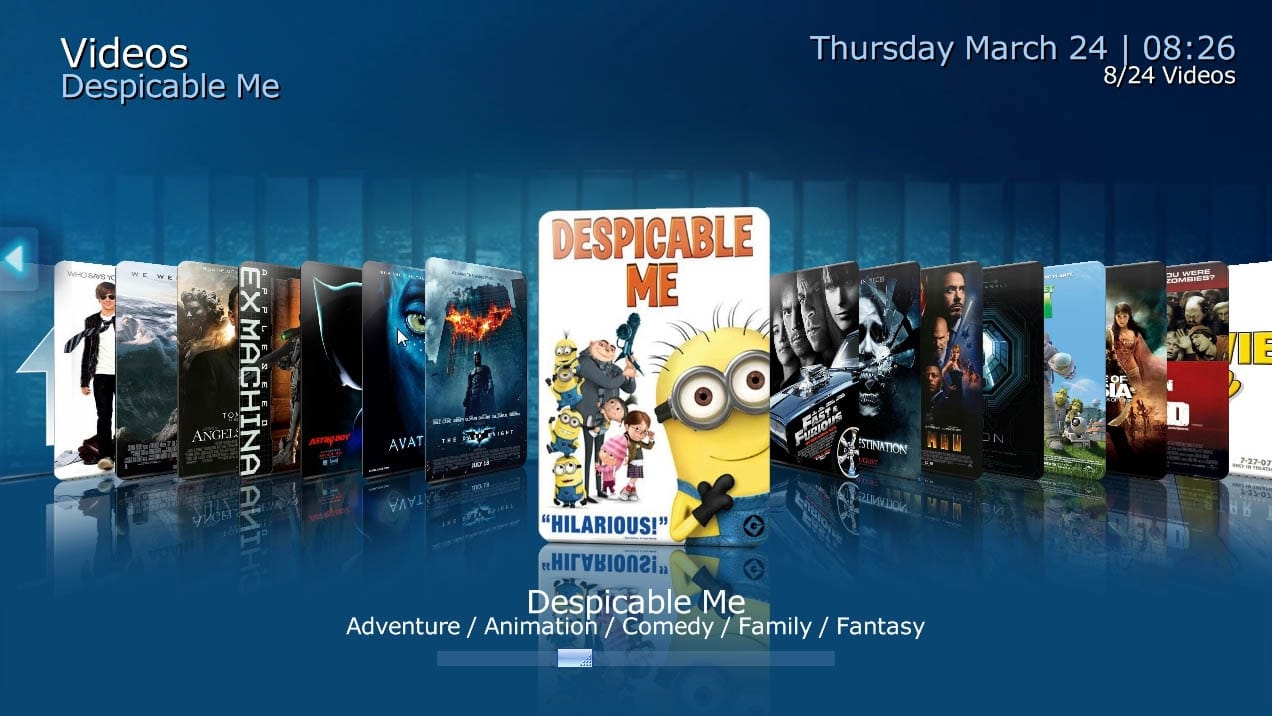
Besides the new look, we also introduced a couple of new controls for our awesome skinners in the community, plus a brand new layout called "Coverflow" which you can see in action in the teaser video of 1.2.0 beta.
basichome1 music1 videos1

Hauppauge Colossus TV Card Support

thumb_colossusWith this new release we introduce full support of Hauppauge's new Colossus TV card.
We want to thank our community member WileECoyote for his support, which enabled us to add this to 1.2.0 beta.


Image Caching option for skins

While this does not sound like much, it will dramatically decrease the loading time required to switch between various screens or sections of MediaPortal, especially for HD skins which use high resolution background images.
Skinners should take a look at this new Image Caching skin feature when updating their work for 1.2.0 beta compatibility.

Cleanup

Obsolete plugins removed

We removed the following obsolete/no longer maintained plugins in 1.2.0 beta.
  • Video Editor
  • Burner
  • MAME
  • Foobar2000

Full list of changes

You can review the complete change log for 1.2.0 beta by using the following links:

Compiled List of Skin and Plugin related changes

Community Skinners and Developers should have a look at the following pages to find out about the changes which will effect their extensions.
Some of these changes are mandatory to become 1.2.0 compatible.

Installation, Upgrade, Download and Feedback

Known Issues of 1.2.0 beta

Keep in mind that you are testing Beta software. Even though internal testing shows that it is very stable, it does still contain issues. Some users may never encounter these issues, while others may, depending on how you use MediaPortal.
Before you test 1.2.0 beta, please review our bug tracker for known issues in this version:

Installing 1.2.0 beta

When doing a clean installation of 1.2.0 beta, then there is nothing special to worry about.

Upgrading to 1.2.0 beta

All MediaPortal installations starting with 1.1.0 RC1 can be upgraded to 1.2.0 beta, without losing your settings.
Attention!
  • Remember, because of the plugin version check change, none of your currently installed plugins will work with 1.2.0 beta. They will all get disabled! Please refer to the developers of the plugins you use for 1.2.0 beta compatible versions.
  • Because of mandatory skin changes, your currently installed skin will not work with 1.2.0 beta! Please refer to the skin designer of the skin you use for a 1.2.0 beta compatible version.
  • Manually stop TV-Service!On some systems our installer is not able to update the TV-Server installation because its files are locked or the service can not be stopped. In 1.3.0 we will completely rework our Installer to take care of this problem once and for all.
    For upgrades to 1.2.0 beta we recommend you manually stop the TV-Service, and make sure, via Windows Task Manager (enable the "all users" option), that the TvService.exe process is really gone before starting to upgrade.

Feedback

Skin related

We are very curious what you think about our new design which we have introduced in 1.2.0 beta. Please share your thoughts in the dedicated forum section.

Bugs

If you think you found a bug, then please post a detailed report in our 1.2.0 beta Development Forum.
Make sure your report includes all the required informations. Incomplete reports will be removed to keep the forum clean.

Download

Finally - the download. We hope that you took the time to read this release news entirely because it includes vital information about the major changes.
If you would like to support MediaPortal, we would be happy to receive a small donation.
The team wishes you a lot of fun with this new release!
 {jfusion_discuss 95825}

Open Source Media Player Miro 5 Released

0 comments

MiroOpen source music, video and Internet TV player Miro 5 has just been upgraded to version 5. With this upgrade Miro brings several new features to the already rich media player such as a tool to lookup missing music information and album art, a means to cleanup their music library, download HD videos from Vimeo, faster device synchronization and conversion and support for purchasing music from eMusic.
Miro plays all your video and music in your local drive as well as stream videos from YouTube, Vimeo, Hulu, PBS, DailyMotion, 5min, Blip, Metavid and more. Miro can automatically download videos from RSS-based channels and add them to your library from where you can watch them later. Miro integrates an RSS news aggregator and podcatcher and a BitTorrent client.
miro

Then there is a built in Video Converter, that converts video based on FFmpeg with profiles for the Theora (.ogv), .mp4, and WebM video formats supported by various devices. Converted videos can be copied to your portable devices and mobile phones and the contents synchronized with those on your computer.
These are the stuff that is already available in Miro since version 4. With version 5, you get additional capabilities the most notable one is song information and album art lookup and music clean up which is done automatically by looking up the artist, correct title, and album name and artwork on the Echonest database. The album art comes from 7Digital.
Also added is eMusic to the music store which includes Amazon Music and Google Music.
Transferring of media files to playback devices has further improved as Miro 5 can now automatically sync files, and users can set what media type they would like Miro to fill the remaining space on their player with. The program can now also delete files from the device that have already expired in Miro. Another helpful addition is that Miro 5.0 will no longer convert videos to another format when the device it will be synced to actually supports the original format.
The programs core files also received “massive updates to the Windows backend”, from playback to GUI, display to libtorrent, everything is updated and upgraded.

0 comments

TweakNow PowerPack 2012 v4.1.0

Optimise, repair, tweak and tune your PC with this one-stop system management suite
Our Rating:
Your Rating:
Login to rate
Based on 1 ratings
License: Freeware
Operating Systems: Windows 7 (32 bit), Windows 7 (64 bit), Windows Vista (32 bit), Windows Vista (64 bit), Windows XP
Requirements:
Languages: English
Software Cost: Free
Date Updated: 19 April 2012
Watchlist: Add download to my watchlist
Downloads To Date: 2062
Developer: TweakNow
RSS News Feed:
Buy TuneUp Utilities 2012 for only $14.99, with lifetime license, saving 70% from MSRP, only from store.downloadcrew.com
TweakNow PowerPack 2012
Keep your PC in peak condition
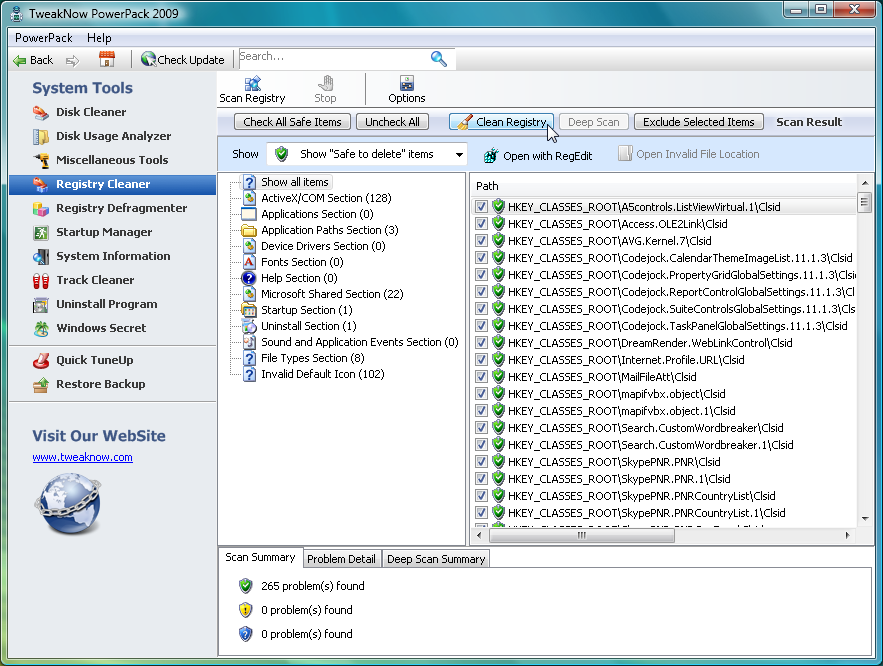
Keeping your PC in peak condition normally requires installing a whole library of utilities, learning their individual quirks and hoping that they'll somehow all work together. But there is a simpler alternative. TweakNow PowerPack 2009 provides all the PC management and tweaking tools you need through one straightforward interface, so there's no wasted time, no software conflicts - you just get to work immediately with the utility you need.
If hard drive space is short, for instance, then the Disk Usage Explorer will reveal the most bloated folders, helping you to quickly address the problem. Or you could just set the Disk Cleaner to work, finding and deleting any redundant files that are cluttering your hard drive.
If you're more worried about performance then turn to the Startup Manager, which helps you control exactly which programs launch when Windows boots. Your Registry is kept in order with a Cleaner and Defragmenter, while a RAM Optimizer frees up memory when you need it.
Anyone concerned about privacy will appreciate the Track Cleaner, which removes the application history for browsers (IE, Firefox, Chrome), Explorer, Windows Media Player, Microsoft Office, and more.
You also get a complete Windows tweaking tool, that lets you change everything from Windows memory management strategies, to your network settings, Start menu appearance and more.
And there are still more tools that don't fit easily into other categories, like an auto shutdown module (turn off your PC at a given time) and a virtual desktop (have up to 4 desktops available and switch between them with a system tray icon).
PowerPack 4.1.0 adds these new features:
-Windows Cleaner -> Disk Usage Analyzer: Improved disk scan engine performance.
-Windows Cleaner -> Disk Usage Analyzer: Added report for common files (bmp, png, jpg, wav, etc) found during disk scan process.
-General: minor improvements and bug fixes.

Firefox 12 Released, Gets Benchmarked Against Chrome 18

0 comments

Firefox Wallpaper fire

Every Firefox release brings something exciting and new to the table. Firefox 12 does not, for those who are expecting something like the previous versions. There has been no new feature addition, worth mentioning! So this time around we have focused on the performance of the browser against its main rival Google Chrome, Firefox 12 vs Chrome 18 in various scenarios including traditional browser benchmarks.

So, What’s new?

Nothing, to be frank enough! But the release is a worthwhile considering the amount of bugs fixed and the performance improvement. Nevertheless there are minor improvements internally which are pretty hard to notice in day to day usage and for non developers. To begin with there is only one (really) “new” feature , which is the implementation of a new Mozilla service to bypass UAC prompts in Windows Vista and above, whenever you update your browser. Google Chrome has implemented it long back, but it involves a lazy trick of installing all your browser updates to the User folder instead of regular Program Files. From now on you will get UAC prompt only when you install Firefox for the first time. When updating later, Mozilla Maintenance Service will take charge of it replacing UAC. By later this year, Mozilla expects to make the automatic browser updates completely silent, like Chrome.

Minor Improvements include:

  • Now page source includes line numbers as well, which must be helpful for developers obviously. Too bad they took a while to implement this.
firefox page source
  • WebGL performance on Mac OSX has been improved significantly.
  • URL’s pasted in the download managers are now downloaded automatically.
  • It is now easier to locate the search results in Find in Page option. Though I prefer Chrome for this function. Firefox needs to improve its search in page even more.
  • Improvements to various built in developer tools like Web Console 3D page inspector, Style Editor and more.
  • Experimental support for ECMAScript 6 Map and Set objects has been implemented in this release.
  • HTML5 Video Controls are improve now, and feature a full screen option.
  • Lots of Security and bug fixes
Note that Firefox does NOT support h.264 format for encoding HTML5 videos as of now, due to Mozilla’s reluctance to adapt to this standard which is wrangled in numerous patents and Mozilla’s adherence to Open Web standards. It will be better for users if Mozilla supports this format as it provides superior compression than ogg theora
Download: Firefox 12 [15.6 MB]

Benchmarks (Firefox 12 vs Chrome 18)

firefox 12 vs chrome 18
Here comes the fun part. Several queries have been raised over the Web with the increasing popularity of our Firefox article series over how the data is collected. So let me take time to explain the rig and the procedure:
The Machine is HP G42 with Core i3 (1st gen) clocked at 2.4 GHz, 6 GB DDR3 of 1066 MHz RAM, ATI Mobility Radeon 512 MB GDDR3 graphics and a 5400 RPM Western Digital Hard drive. Hardware Acceleration was turned on in both Firefox and Chrome
I ran the older version of Google v8 (version 6) benchmark this time to maintain harmony with previous browsers’ scores . Sunspider and Kraken were at their respective latest versions. I took the best of each browser score after running each benchmark thrice to avoid accusations of “biasing the article towards Firefox”.

Firefox 12 vs Chrome 18 : Showdown time

Sunspider Performance

Sunspider is one of the most trusted benchmarks for Web browsers. Sadly this time Firefox has regressed a bit, and continuing the trend from Firefox 11 the performance has dropped a bit. Chrome on the other hand has improved quite a lot from its previous version and manages to beat Firefox handily in this browser intensive JavaScript benchmark.
Firefox vs Chrome sunspider benchmarks

Kraken Performance

Kraken is another browser intensive benchmark by Mozilla, Kraken focuses on much more realistic workloads than Sunspider or V8. Kraken in a way provides a clear view of realistic workloads pushing the browsers limits. Chrome 18 almost demolishes its predecessor and all the recent Firefox release with a stunning score of 3974. Firefox 12 on the other hand fell behind all others by a noticeable margin.
Firefox vs Chrome kraken benchmarks

Google V8

This has been one of the strongholds of Google Chrome’s performance. V8 is the JavaScript engine which ships with Chrome, so obviously one would expect Chrome to perform favourably. Surprisingly this time around both Firefox and Chrome have regressed quite a bit. There were times when the the performance parity with Chrome  would be quite a lot, but Firefox needs even more work in this regard as well.
Firefox vs Chrome v8 benchmarks

Real World Metrics : Chrome the memory monger

If your planning to jump to Chrome bandwagon based on the above benchmarks, hold your guns because the above browser benchmarks barely indicate any real world usage. It is time to check out how much system resources does the two browsers consume on a moderately heavy usage.
For the memory consumption tests I opened the following 10 tabs which I surf usually as my daily routine: Techsplurge, Gmail, Facebook, Twitter, OMGUbuntu , YouTube with a 360p video being played in Flash, Rotten Tomatoes, Phoronix, Google Reader, and a Google search results page.
Firefox vs Chrome memory consumption
Errata : I had not noticed plugincontainer.exe in the earlier memory benchmarks, which is basically the Mozilla container for browser plugin. I noticed it consumed around 100 MB for 360p video. Because this process is entirely separate from Firefox processes, I missed out on this from process explorer. I have added 100 MB for previous Firefox iterations’ memory results  to compensate this.
Interestingly Chrome 18 reported to be using 1.25 GB of memory when I checked from its internal task manager. However upon totalling the memory consumed by each of the chrome.exe processes, it turned out to be 1.7 GB .
Chrome seems to be munching more memory with every release. There are numerous arguments in the wild web about why Chrome consumes so much of memory , but one must clearly note that no matter what Sandboxing or process separation for each tab. Chrome uses a heck lot of memory. This basically renders your PC useless if you wish to do anything apart from browsing on Chrome when you are on a low end PC.

CPU Usage

The CPU usage across the two browsers were the same almost , with the usage hovering around 5 – 7% in each browser. If you are smart you would have guessed that Adobe Flash was the main factor contributing to the CPU usage. But overall, both the browsers manage to be impressively low when it comes to CPU usage.

Which browser should I choose now?

I am huge Firefox fan, but both Chrome and Firefox are great browsers in their own respects and are helping a great deal to make the web better. Here is why you would choose Firefox or Chrome

Firefox

  • You want a fast browser which does not eat your RAM for breakfast.
  • You work with lot of tabs open.
  • You want a lot of customizations in your browser and use loads of add-ons.
  • You are bothered about your online privacy

Chrome :

  • You want the fastest browser on the planet .
  • You do not open  many tabs while browsing.
  • You have a fairly powerful machine and/or don’t bother about the resource usage of your browser.
  • You do not care much about your privacy and do not mind Google collecting user data.

Conclusion

Sadly for me, this one has been quite a mediocre Firefox release when it comes to benchmarks and new features introduced. However this release was necessary as it gave more room for Mozilla to fix important bugs and security issues. With major new features like a completely overhauled UI , improved download manager , web apps integration coming in later releases, it will be worth the wait hopefully. Chrome on the other hand has improved on every other aspect apart from Memory optimization. Do feel free to share your opinion about Firefox 12 vs Chrome 18.

Get Mac OS X Launchpad for Windows with WinLaunch

0 comments

I have been reviewing many free apps for Windows, most of them do fulfil their purpose just right. But there comes a time when you discover a ultra cool app which is rough around the edges but it works so damn well that you just cant wait to show it off and rave about it.
WinLaunch by C0rrupted  is one such free tool which does its job, of replicating Launchpad introduced in Mac OS X Lion in Windows, perfectly. By perfect I literally mean perfectly. Amazing animations, loads of customisation while being non intrusive and extremely light on resources are just some of the great things in this nifty tool.
Launchpad for Windows

Installation and Setting up : Here comes the clumsy part

This is the only place where I get to blast the app, and I wont spare it. Setting up the app is quite confusing at first, but once you get the hang of it it is really fantastic to say the least. I can see no app launcher as good as WinLaunch atleast for the moment for Windows.
The app currently does not feature any sort of installation, and basically you have to start the app [winlaunch.exe] yourself after extracting the zip folder. When you first launch the app, you are greeted with a well written readme which I recommend to go through well for less hassles. You can begin adding icons by moving the icons from your desktop or start menu to WinLaunch. As the next step, you need to spend some time fiddling with the Icon and Text size, and keys for invoking WinLaunch for a godly experience. Then you must run Winlaunch Starter to start the app automatically everytime you boot into Windows.
Download: WinLaunch for Windows [16.1 MB] x86 and x64

The Amazing WinLaunch

You may feel that I am over excited and raving a lot about the app, but as you check it out yourself, you will find a lot more to like. Here are some super cool things I liked about WinLaunch
  • Synaptic Touchpad Gesture Integration : Hell Yeah! Those who thought that Launchpad and the nifty three finger upward swipe to activate Launchpad was limited to those shiny Macs, think again. WinLaunch allows to perfectly replicate this feature on the Windows as well. Even the two finger slide for accessing the multiple pages works so cleanly that you simply cant stop adoring the touchpad integration. On my HP G42 it works flawlessly every single time.
  • Multiple Ways to access your WinLaunch: If you are on a desktop, or if you use your three finger gesture for something else, you can always use the multiple hot corners or hot keys to activate the Windows implementation of Launchpad
WinLaunch options
  • Superb Animations : I mean it. The animations are so close to the Mac OS counterpart that you would be easily fooled for once that you were using Lion. Heck , even the famous iOS style jiggle is perfectly implemented in Launchpad. The Fly In and Fly Out work very smoothly, not to mention silky icon movements. The animations are one of the core features that makes WinLaunch such a perfect app launcher for Windows.
  • WinLaunch iOS jiggle
  • Easy Customisation: WinLaunch offers gut loads of customisation options which even the Mac OS X Launchpad does not offer to an extent. You can go all the way from customising icon sizes, to changing the opacity, modifying the animation speed you name it. Did I tell you that WinLaunch supports creating pages and folders just like iOS including the animations and shelves. This is something which I found was really freaking cool.
  • WinLaunch Customisation
  • Themes Support : For all the personalization nerds, WinLaunch offers plenty of inbuilt themes to choose with to suite your tastes. Below is the screenshot with the square theme applied.
WinLaunch themes

Minor Ramblings

I am gladly willing to donate and strongly urge you to donate for the development of this program. But there are few annoying issues which I really want to see fixed in order to get a even better app launcher for Windows.
  • The App comes in a Zip format and does not have an installer. This is easily a turn off for not so tech-savvy folks. In future iterations an installer would be more than welcome
  • I found the settings menu to be pretty cramped as personalization forms an important component of this program. It would be useful if more options could be clubbed in lesser titles. For example the various options for Hotkeys and Hot Corners could come under a single title instead of digging deeper into the options.
  • WinLaunch did not start automatically with Windows even though it was claimed to be. Perhaps this is a bug?
  • Lastly I found editing the icons quite cumbersome as in I had to hit edit for every Icon individually. It would be great if the developer could provide us some kind of edit mode. Also edit  was quite buggy and inconsistent many times

Usage Tips and Conclusion

WinLaunch sadly is not the most idiot friendly launcher to set up initially and use. I personally recommend the following tweaks to enhance your experience with WinLaunch
Initial Configuration : When you start WinLaunch for the first time you need to hit F and add few icons to begin with.
  • For fast performance and great looks, you can better go for the Lion Blur in the performance advisor. Though Aero blur was quite fast too, it was not aesthetic enough for me.
  • Adding icons from desktop  can be a tad frustrating , you can instead add your apps directly from the start menu.
  • The default icon size is medium which is tad big for anyone’s taste. Change it to small and you are good to go.
  • Hot Corners can get in your way while using other apps, better option is to go for synaptic gestures in case if you are on a laptop , or hot keys if you are on a desktop.
Overall WinLaunch perfectly mimics the Mac OS X Launchpad behaviour for your Windows desktop without burdening your CPU or GPU. WinLaunch can easily be the perfect desktop icons replacement you were looking for. The developer of this app has been tremendously successful in mimicking the behaviour of Launchpad on Windows with such a light program. You will never even realise the fact that the app is still in its early beta stages. A must have for those who wish to have a beautiful desktop.