


468x60 Ads

Buanglah sampah pada tempatnya. Pabila sampah tiada, kena ceria main warnet. Hary Irfantri, 2012
Demo image Demo image Demo image Demo image Demo image >

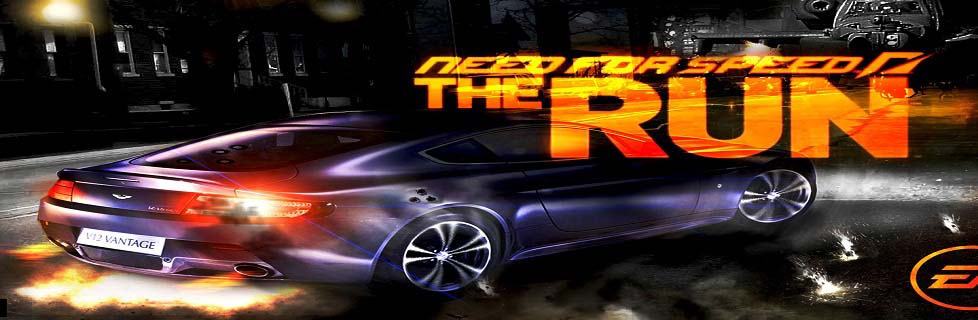
Need for Speed: The Run

0 comments

The Race of Your Life


It’s called The Run. An illicit, high-stakes race across the country. The only way to get your life back is to be the first from San Francisco to New York.
"These are FREE Download"
No speed limits. No rules. No allies. All you have are your driving skills and sheer determination as you battle hundreds of the world’s most notorious drivers on the country’s most dangerous roads.
In Need for Speed The Run, you’ll weave through dense urban centers, rocket down icy mountain passes and navigate narrow canyons at breakneck speeds, all the while evading a relentless police force prepared – and willing – to use lethal force to take you down.
***
Minimum System Requirements
* OS: Windows Vista SP2 or Windows 7
* CPU: 2.4 GHz Intel Core 2 Duo or equal AMD
* RAM: 3 GB
* HDD: 18 GB free disk space
* Graphics: 512 MB Graphics Memory
* DirectX: Version 10
* Network: 512 KBPS Internet connection or better
Recommended System Requirements
* OS: Windows Vista SP2 or Windows 7
* CPU: 3.0 GHz Intel Core 2 Quad or similar
* RAM: 4 GB
* HDD: 18 GB free disk space
* Graphics: 1 GB Graphics Memory
* DirectX: Version 10/11
* Network: 512 KBPS Internet connection or better
Supported Graphics Cards:
Minimum – NVIDIA GeForce 9800 GT or ATI Radeon 4870
Recommended – NVIDIA GeForce GTX560 or ATI Radeon 6950
***

Overview


  • From the Golden Gate to the Empire State — Compete in The Run, an illicit race across the most iconic and treacherous roads from San Francisco to New York. There are no rules and no allies in the cities, deserts, mountains and canyons than stand between you and the finish line.
  • You are Jack’s Competitive Edge — Jack is in a race for his life, but he’s got something the competition doesn’t: You. Keep Jack one step ahead of the dangers from his dark past, both inside and outside the car. It’s up to you to get Jack to New York in one piece and ahead of the competition.
  • Beat Your Friends — Connect to Autolog. Compare your times against those that matter most. Compete to be the best. Autolog now tracks your entire career – making every second of every race count in the battle to be the fastest to New York.
  • Racing Powered by Frostbite 2 — The powerful new Frostbite 2 engine, created by the award-winning DICE studio, advances technical achievements to deliver a gameplay experience with an unprecedented level of visual detail, environmental immersion, and emotional impact.
  • Compete in High Octane Multi-Player Racing — The most accessible online racing experience ever offered. With matchmaking technology, join races already in progress instead of waiting in lobbies. Create a party with friends, pick a playlist of your favorite challenges and compete for supremacy across every stage of The Run. By mastering all of the playlists you can level up and earn access to exclusive vehicles, upgrades and abilities. 
  • Platforms: Xbox 360, PC, PC Download, PlayStation 3
    Teen
    This title is rated Teen for:
    • Language
    • Mild Suggestive Themes
    • Violence
    • Online Interactions Not Rated by the ESRB
    • May contain content inappropriate for children. Visit www.esrb.org for rating information
  • Platforms: Nintendo 3DS, Nintendo Wii
    Everyone 10+
    This title is rated Everyone 10+for:
    • Animated Blood
    • Mild Suggestive Themes
    • Violence


Avira AV Database Offline Update 21 MAY 2012

0 comments

Virus database updates for antivirus software Avira AntiVir Personal Edition and Avira Premium Security Suite.

How to install updates:
The main window of Avira AntiVir, Next - Update - Update manually. Specify the path to the folder with the downloaded archive and database updated.

Information:
Year: 2012

AVG Database Offline Update 18 MAY 2012

0 comments

Offline antivirus updates v. 5007 for AVG Anti-Virus Free, AVG Anti-Virus Pro and AVG Internet Security.

Year: 2012

Download Windows XP SP3 Gaming Edition With SATA Driver

0 comments

Gambar Terposting
Windows XP SP3 EGE-Extreme Gaming Edition with SATA Driver | 297MB
What's Up, folks?. It's probably the best windows XP for play games... and propably you are asking, why?
Let me u explain :
• Windows Extreme Gaming only use about 37MB of Ram Memory (30MB If u terminate explorer process before play a game), after the second start when It completes all the changes. Worshippy
• Are updated to the last SP3, fixes an usefull updates. Worshippy
• Already have a SATA Drivers Pack that is loaded before the windows install process, so u can forget all the problems with ur SATA HDD. Worshippy
• The OS size is about 200MB, only. And 100MB of applications. There are availeables from the Booster menu.
• Is still necessary activate the Windows Installer MSI Service before install a games. Start -> Administrative Tools -> Services -> Windows Installer -> Start. (Right click, properties, automatic. If u don't want repeat all the steps again).

Mediafire Links :
http://www.mediafire...dgx28wskqbfro38
http://www.mediafire...ed4nw3mzhzkehdn
http://www.mediafire...k4jb6l1rbky8t12
http://www.mediafire...69oc8mce95fbiww
http://www.mediafire...9wawfdn80v6c41g
http://www.mediafire...5ko7yox7k6wimz8

Ohya.. Os Ini memiliki kekurangan yang paling mengganggu, yaitu Bahasa yang di support adalah bahasa spanyol walaupun sudah di rombak, tetap saja bahasanya kacau hehe.. jadi buat agan2 yang dari indo kalau ga bisa bahasa spanyol, sebaiknya mikir dlu yah.

Notice :
ingat perfomance adalah hal pertama yg penting dlm win ini.
bila di situ ada yg cepat pasti di situ ada beban yg dikurangi untuk menambah kecepatan tersebut.

Microsoft Windows XP SP3

0 comments


Description:


Windows XP Service Pack 3 (XP SP3) fixes a range of bugs and adds new features to Windows XP. The file is a large download and can be applied to any version of Windows XP Home, Professional, TabletPC or Media Center (32 bit only). However, you must have installed either Windows SP1 or SP2 before SP3.* Keep in mind that new patches made available after Service Pack 3 was released (mid April 2008) will still need to be applied. 


Important notes: Microsoft advise uninstalling any beta or Release Candidate versions before installing this final release. Do not install Service Pack 3 on systems with AMD chips unless a special hotfix has been applied first. This hotfix needs to be applied before SP3, otherwise your system may get stuck in a loop and never start. Click here for the AMD Windows XP SP3 hotfix. The file will download directly from Microsoft's servers - you may want to shorten the file name. 


The advantage of this full download is that it can be used on any system - plus it doesn't require an Internet connection to install. You can download SP3, copy it to disc or a portable drive and use it on multiple PCs. Alternatively, since the file is so huge, you can download SP3 on a fast Internet connection and use it to update a PC with a slow or non-existent connection. 


Windows XP Service Pack 3 (SP3) includes the following:

  • All previous security patches and fixes released for Windows XP.
  • All enhancements and new features that were included with Windows XP SP1 and Windows XP SP2.
  • Only two new features have been added: Black Hole Router Detection Windows and Network Access Protection (NAP).
  • The following are already available for Windows XP in stand-alone updates. Windows XP SP3 includes them by default (System administrators must choose to install each of these updates): MMC 3.0, MSXML6, Microsoft Windows Installer 3.1 v2, Background Intelligent Transfer Service (BITS) 2.5, IPsec Simple Policy Update for Windows Server 2003 and Windows XP, Digital Identity, Management Service (DIMS), Peer Name Resolution Protocol (PNRP) 2.1, Wi-Fi Protected Access 2 (WPA2).
  • From the Release Notes: "Microsoft is not adding significant functionality from newer versions of Windows, such as Windows Vista, to Windows XP through XP SP3. For instance, Windows XP SP3 does not include Windows Internet Explorer 7, although Windows XP SP3 does include updates to both Internet Explorer 6 and Internet Explorer 7, and it will update whichever version is installed on the computer. One notable exception is that, SP3 does include Network Access Protection (NAP)."
  • *This next bit is going to get confusing. Microsoft stopped supporting the early releases of Windows XP. You can't apply SP3 unless you have, at bare minimum, Windows XP SP1a. However, Service Pack 2 includes all of Service Pack 1a. So... if you have either Windows XP original (with no Service Pack), you must install Service Pack 2 first, followed by Service Pack 3. If you have Windows XP Service Pack 1a or Service Pack 2 already on your system, you can install Service Pack 3 now.

To download the complete 313MB SP3 for all English versions of Windows XP, Click here!


Media Portal Beta 1.2.0

0 comments


The release of 1.2.0 beta is a big milestone in the MP 1.2.0 development cycle. During its development we had to make a few tough decisions, which ultimately resulted in a lot of work and delays, yet also brought MP1 to a completely new level of usability.

Notable Changes since 1.2.0 alpha

It would be too much to list all changes between 1.1.0 and 1.2.0. So the following list will focus on what happened since the release of 1.2.0 Alpha.
Find out about the changes introduced in 1.2.0 Alpha in this separate news.

Usability Changes

Plugin Version Check

The biggest change in usability is our new version check for plugins. From 1.2.0 beta on, users will never again face the problem of having a plugin enabled which is incompatible with the installed version of MP.
Attention!
  • Because of this change, none of your currently installed plugins will work with 1.2.0 beta. They will all get disabled and appear in a new section in the Configuration Tool: Incompatible Plugins. Please refer to the developers of the plugins you use for compatible versions.
  • The MediaPortal Extenstion Installer (MPEI) will be updated in beta2/RC1 of 1.2.0 to automatically incorporate the version information into the .mpe2 file.  So plugin developers just have to re-save their MPEI package (if the plugin is already compatible).

Music and Video View Definition Changes

Setting up and changing views for music and video was previously complicated and confusing.   We have now updated the interface to make setup far more logical and allow views to be easily re-ordered.
Attention!
  • Because of this change any user defined views you had setup will be lost when upgrading.  Hopefully we have mitigated this by replacing the default music views more in-line with those in Kiwijunglist's guide to setting up music.  To learn how to use the new features, see our Wiki: Music Views 1.2.

Music Changes

The music section of MediaPortal has been given a thorough health check with lots of changes behind the scenes as well as lots of bug fixes and changes to make things more logical and consistent.  There are also some new features
  • Better handling of multi-disc albums
  • A playlist mode
  • Last.fm Love / Ban functions on music Now Playing screen
More details can be found in an earlier blog. To learn about the changes see Play Music 1.2 in our Wiki.

TV - Fast Forward

Fast Forward inside TV should now work smoothly with up to 4x playback speed, which is the maximum for Windows 7 (Note: Windows XP supports only 2x, due to it's audio renderer ). Fast Reverse will still work in a skip-step like fashion.

TV - improved LiveTv in multiseat setups

1.2.0 beta vastly lowers the workload placed on the hard drive by live TV. This virtually eliminates the stuttering and picture corruption that was sometimes seen before on client systems while watching live TV.

TV - increased performance of channel selector

Opening and browsing through the channel selector inside TV was very slow for some users. So we increased its performance!

DVD Playback - added Closed Captioning support

Closed_captioningWe have added supported for Closed Captioning (CC) to the DVD playback.
You can learn about it's configuration and usage in our Wiki.

SMS-Style input

You now have the option to use SMS style input with your remote control, just like you know from your cell-phone.
If you want to use the standard keyboard, then you can switch the input style back to it by pressing the related button inside the virtual keyboard.

Play all videos inside a folder

This is a feature many users requested for a long time. In this release we introduce the option to play all videos inside a folder with one option.

MediaPortal Configuration restructured

We have reworked the sturcture of MediaPortal Configuration in order to group the options more logically.

New Features

New Design

With MediaPortal 1.2.0 beta we introduce a brand new look, that replaces Blue3 and Blue3wide which served us well during the last years. We have made the Blue3/wide skin files available to the community, in case someone wishes to make it available, and maintain it, as an extension. The Team certainly hopes that this will happen.
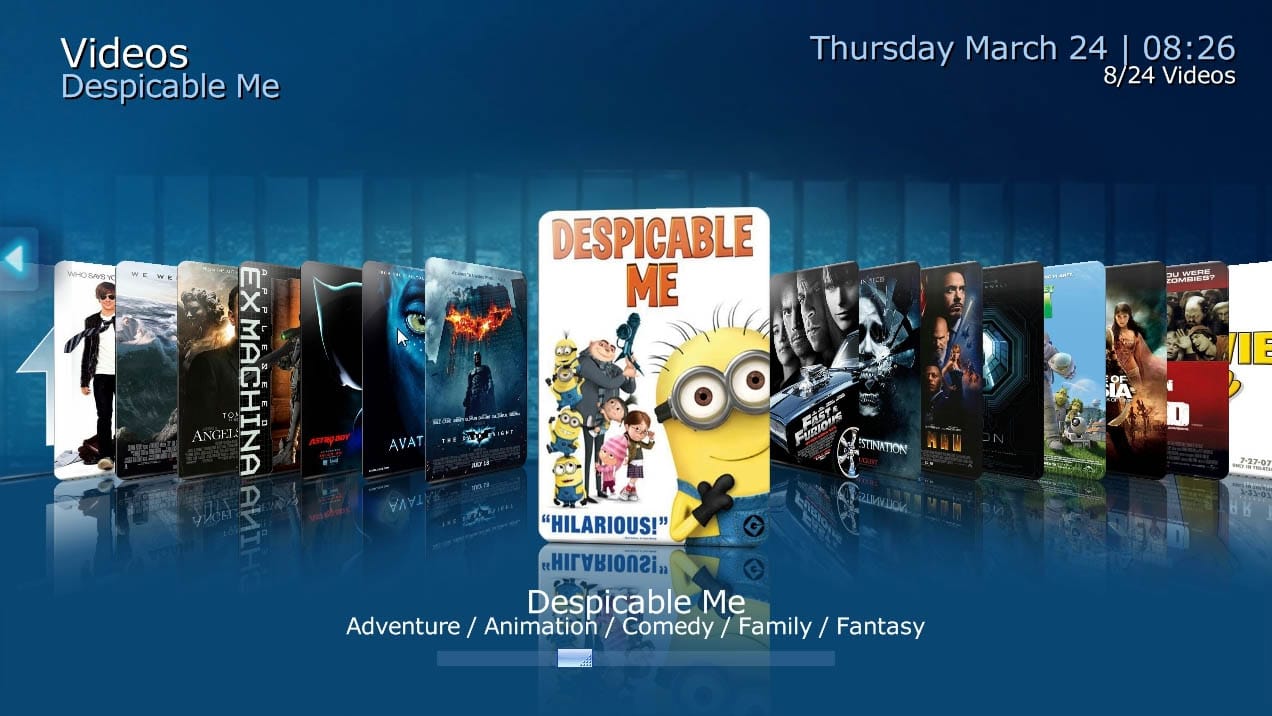
Besides the new look, we also introduced a couple of new controls for our awesome skinners in the community, plus a brand new layout called "Coverflow" which you can see in action in the teaser video of 1.2.0 beta.
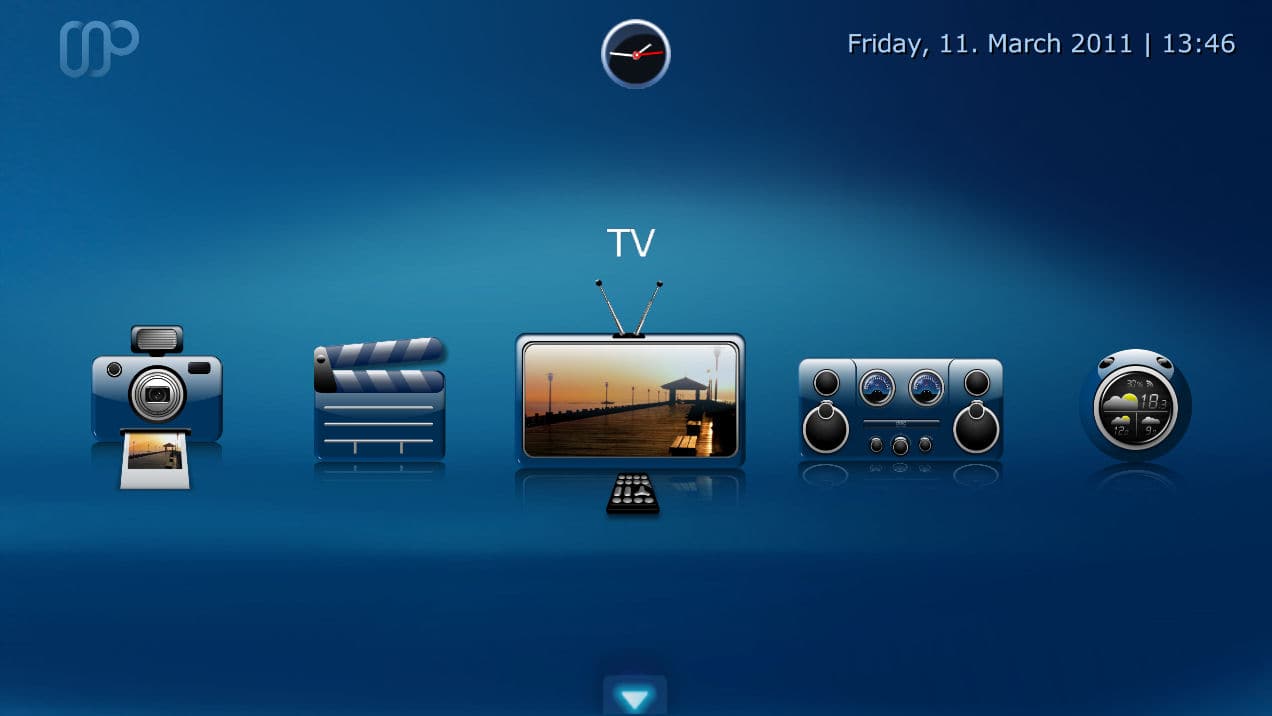
basichome1 music1 videos1

Hauppauge Colossus TV Card Support

thumb_colossusWith this new release we introduce full support of Hauppauge's new Colossus TV card.
We want to thank our community member WileECoyote for his support, which enabled us to add this to 1.2.0 beta.


Image Caching option for skins

While this does not sound like much, it will dramatically decrease the loading time required to switch between various screens or sections of MediaPortal, especially for HD skins which use high resolution background images.
Skinners should take a look at this new Image Caching skin feature when updating their work for 1.2.0 beta compatibility.

Cleanup

Obsolete plugins removed

We removed the following obsolete/no longer maintained plugins in 1.2.0 beta.
  • Video Editor
  • Burner
  • MAME
  • Foobar2000

Full list of changes

You can review the complete change log for 1.2.0 beta by using the following links:

Compiled List of Skin and Plugin related changes

Community Skinners and Developers should have a look at the following pages to find out about the changes which will effect their extensions.
Some of these changes are mandatory to become 1.2.0 compatible.

Installation, Upgrade, Download and Feedback

Known Issues of 1.2.0 beta

Keep in mind that you are testing Beta software. Even though internal testing shows that it is very stable, it does still contain issues. Some users may never encounter these issues, while others may, depending on how you use MediaPortal.
Before you test 1.2.0 beta, please review our bug tracker for known issues in this version:

Installing 1.2.0 beta

When doing a clean installation of 1.2.0 beta, then there is nothing special to worry about.

Upgrading to 1.2.0 beta

All MediaPortal installations starting with 1.1.0 RC1 can be upgraded to 1.2.0 beta, without losing your settings.
Attention!
  • Remember, because of the plugin version check change, none of your currently installed plugins will work with 1.2.0 beta. They will all get disabled! Please refer to the developers of the plugins you use for 1.2.0 beta compatible versions.
  • Because of mandatory skin changes, your currently installed skin will not work with 1.2.0 beta! Please refer to the skin designer of the skin you use for a 1.2.0 beta compatible version.
  • Manually stop TV-Service!On some systems our installer is not able to update the TV-Server installation because its files are locked or the service can not be stopped. In 1.3.0 we will completely rework our Installer to take care of this problem once and for all.
    For upgrades to 1.2.0 beta we recommend you manually stop the TV-Service, and make sure, via Windows Task Manager (enable the "all users" option), that the TvService.exe process is really gone before starting to upgrade.

Feedback

Skin related

We are very curious what you think about our new design which we have introduced in 1.2.0 beta. Please share your thoughts in the dedicated forum section.

Bugs

If you think you found a bug, then please post a detailed report in our 1.2.0 beta Development Forum.
Make sure your report includes all the required informations. Incomplete reports will be removed to keep the forum clean.

Download

Finally - the download. We hope that you took the time to read this release news entirely because it includes vital information about the major changes.
If you would like to support MediaPortal, we would be happy to receive a small donation.
The team wishes you a lot of fun with this new release!
 {jfusion_discuss 95825}

Username And Password Eset NOD32 13 Mei 2012

0 comments

Username And Password Eset NOD32 13 Mei 2012 - Buat kalian yang lagi cari Username And Password Eset NOD32 13 Mei 2012 hari ini nih lanoblog ada sesuatu buat kalian lagi yaitu Username And Password Eset NOD32 13 Mei 2012 jumat 12mei 2012 hari ini.dan insyallah besok kita update Username And Password Eset NOD32 14 Mei 2012. 
Username: EAV-65062881
Password: 5c4vdmrsnc

Username: EAV-65076120
Password: deth7xu278

Username: EAV-65076121
Password: 3akb86usft

Username: EAV-64974429
Password: rp3a8cmej6

Username: EAV-64974430
Password: v8ajdbbxar

Username: EAV-64974431
Password: j43cdhbrjb

Username: TRIAL-66042116
Password: sn675bp7xx

Username: TRIAL-66042121
Password: cn6umtma3f

Username: TRIAL-66042132
Password: k534vbuu4j

Username: TRIAL-66042524
Password: 7dnuxn3p3f

Username: TRIAL-66042536
Password: 4r5jxavbnc

Username: TRIAL-66042545
Password: rbsrd6t2x6

Username: TRIAL-66042594
Password: uxtsmscfru

Username: TRIAL-66042602
Password: hhfx4na63n

Username: TRIAL-66042627
Password: txsr6mp4ph

Username: TRIAL-66042641
Password: 83nu828cse

Username: TRIAL-66042671
Password: 8ud3ahnmv5

Username: TRIAL-66042682
Password: 5445j8v38s

Username: TRIAL-66042694
Password: ssfun2fvtt

Username: TRIAL-66043085
Password: ruurmhefhk

Username: TRIAL-66043098
Password: 6vrupt2rjh
Demikian lah perbincangan kita untuk  Username And Password Eset NOD32 13 Mei 2012  semoga bermanfaat.

Update Offline eset/nod32 11 Mei 2012

0 comments


update offline eset/nod32 7 mei 2012
Jika anda ingin mengupdate eset anda secara offline anda bisa langsung mendownloadnya untuk database yang paling baru yaitu update offline eset/nod32 11 Mei 2012. Update eset offline ini akan sangat berguna apalagi jika anda menggunakan eset yang tidak asli, jadi tidak begitu rawan di blacklist.
 update offline eset/nod32 11 mei 2012
file4sharing :
offline_update_eav
offline_update_ess

filereactor :
offline_update_ess
offline_update_eav